My Support Passport
Create clear, respectful support profiles with communication preferences, sensory needs, routines, health information and the things that help most.
On this page
Keep the support that works in one clear, respectful place.
My Support Passport helps you create a practical guide to the support that works for you or someone you care for.
Add information gradually, complete only the sections that feel useful, then create a one-page support profile, health passport or quick support card to share or print.

Why we built it
Important support information is often scattered across forms, emails, notes and conversations.
That can mean explaining the same things again at school, appointments, activities or when a new person is helping.
My Support Passport gives you one calm place to record what matters: how someone communicates, what they find difficult, what helps, what to avoid and any practical information another person may need.
A support profile shaped around the person
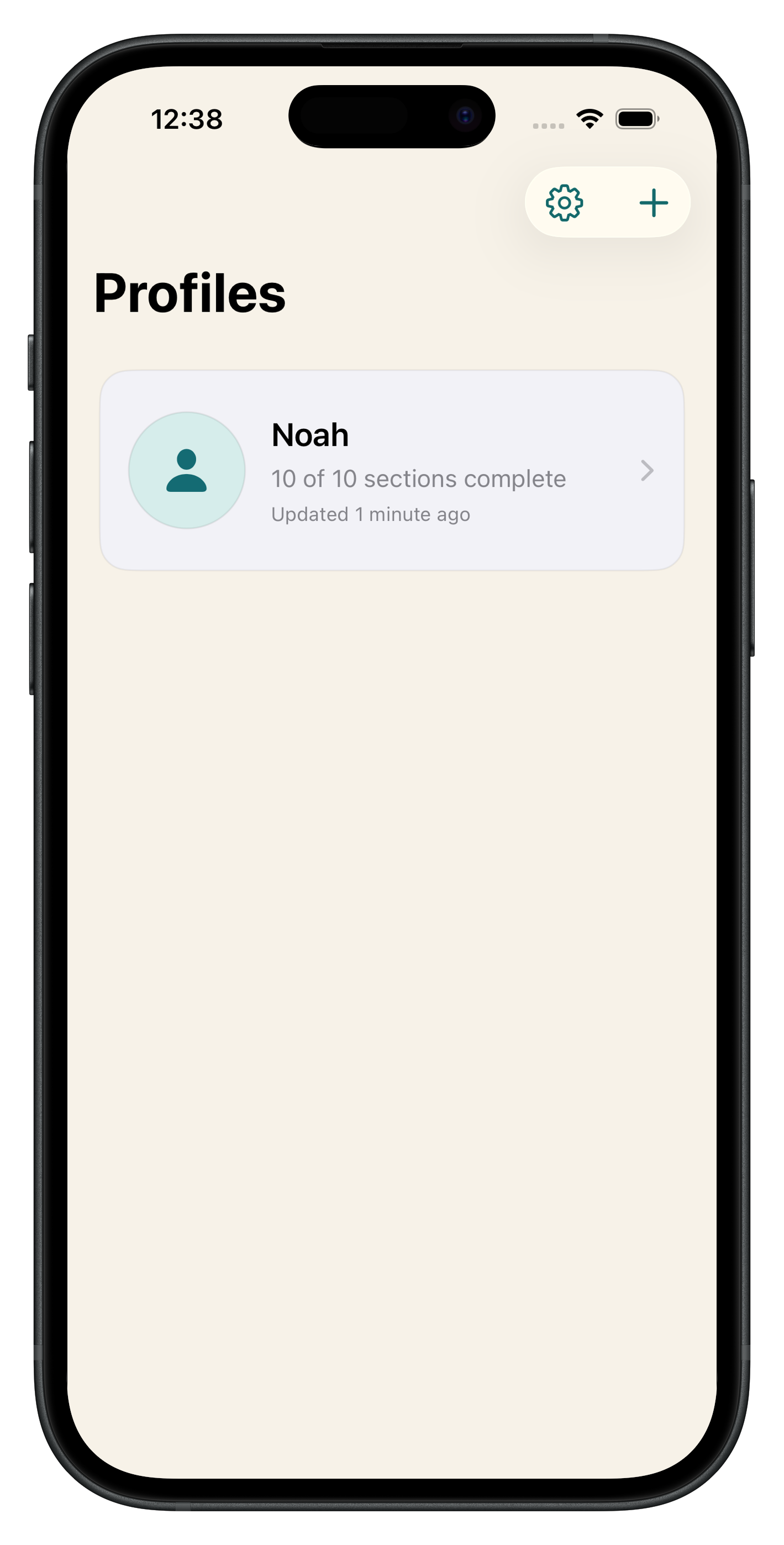
Every field is optional. You can build a profile gradually and include only the sections that are useful for that person and situation.
The app supports multiple profiles, so you can create a passport for yourself or for more than one person you care for. An optional photograph can make each profile easier to recognise.
What you can include
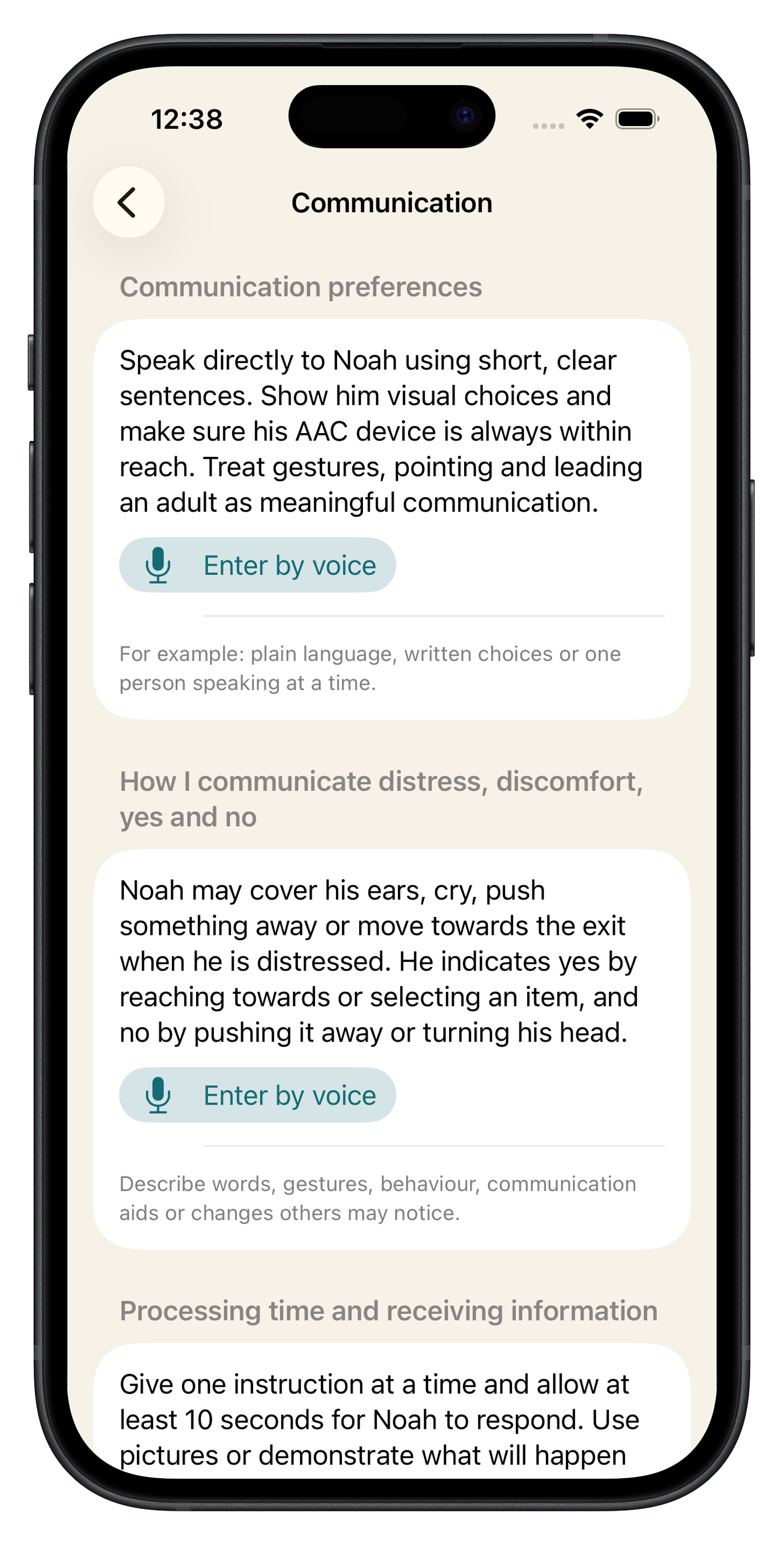
- Communication preferences and meaningful ways of saying yes, no or “I need help”
- Sensory needs and processing time
- Strengths, interests and important routines
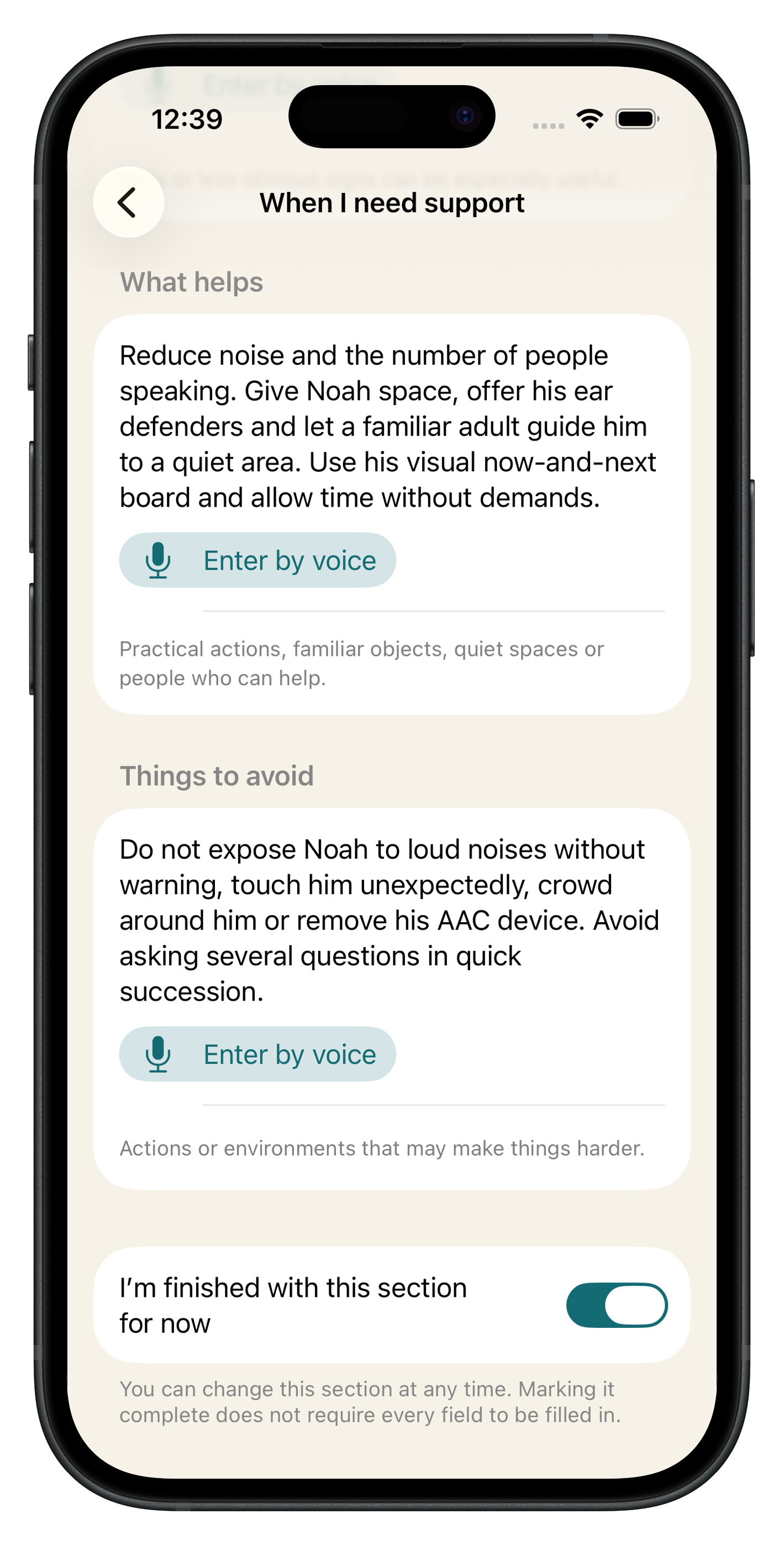
- What helps when someone feels overwhelmed
- Things that may make a difficult moment harder
- Mobility and personal support
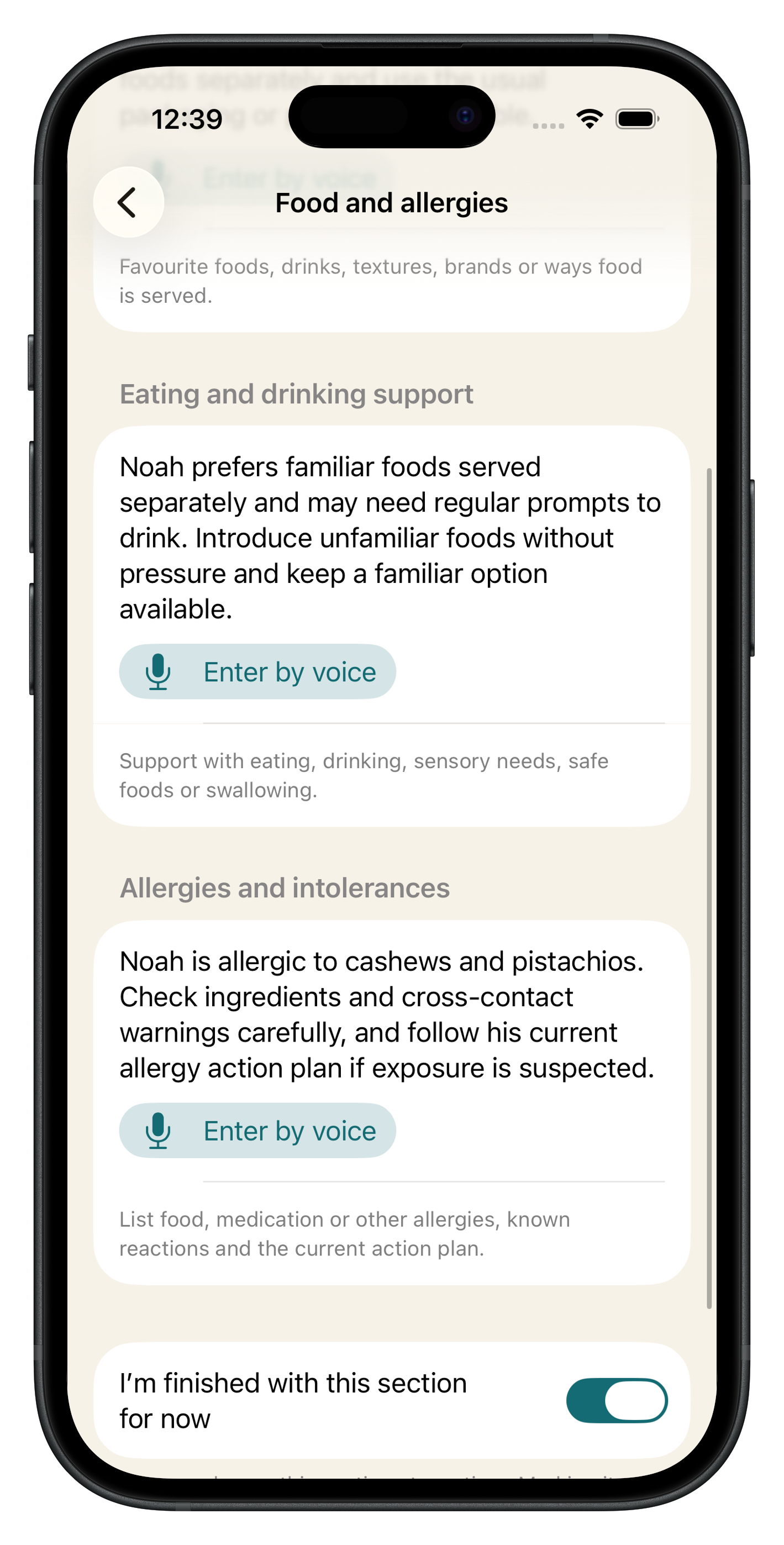
- Food, drink, allergies and other health information
- Reasonable adjustments and emergency contacts
You can type in your own words or use optional voice entry when speaking is quicker.
Clear documents for different situations
Choose the document that fits the moment:
- A fuller support profile
- A health passport
- A quick support card
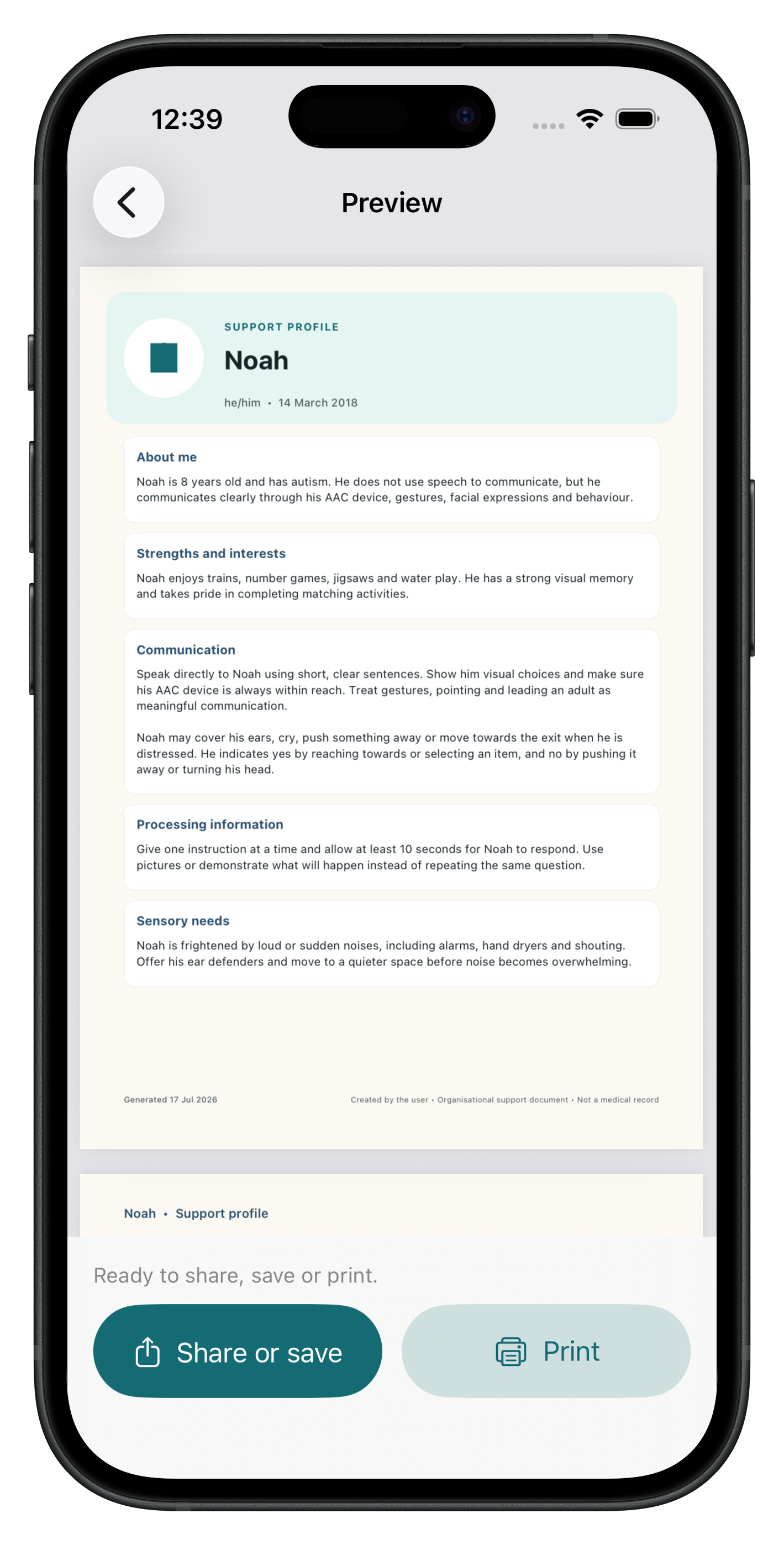
Preview the document before you share it. You can then save or share it as a PDF, or print a copy for school, an appointment, a carer or another person who needs the information.
Private by design
My Support Passport does not require a separate app account.
Profiles and photographs are stored on your device and, when iCloud sync is available and enabled, in your private iCloud account so they can stay available across supported Apple devices.
Steady Neuro does not operate a separate database that can read your profiles. The app has no advertising, tracking or analytics SDKs.
You stay in control of what you enter and when you export or share a document.
An organisational tool, not medical advice
My Support Passport helps organise information that you choose to record. It does not provide medical advice, diagnosis, treatment recommendations or emergency assistance.
For urgent medical or safety concerns, contact the appropriate local health or emergency service.
Frequently asked questions
Who can I create a support passport for?
You can create a profile for yourself or for someone you care for. The app can hold multiple profiles.
Do I need to complete every section?
No. Every field is optional. Use the sections that are helpful and leave the rest blank.
Can I add information by speaking?
Yes. Voice entry is optional. The app will ask for microphone and speech-recognition permission when you choose to use it.
Can I share a support passport?
Yes. You can preview a one-page profile, health passport or quick support card, then share, save or print it as a PDF.
Where is profile information stored?
Profiles are stored on your device. When private iCloud sync is available and enabled, they may also be stored in your private iCloud account to support syncing between your Apple devices.
Steady Neuro cannot read your private iCloud profile data.
Privacy and support
Read the full My Support Passport Privacy Policy or visit My Support Passport Support.